Loading Article Title...
🍪 We use cookies to make sure you get the sweetest experience on our website — smooth, secure, and perfectly tailored just for you! 💫✨

Web Architect & Digital Strategist at Techno Alig. Passionate about building high-performance websites, e-commerce platforms, and data-driven SEO strategies for growing businesses.
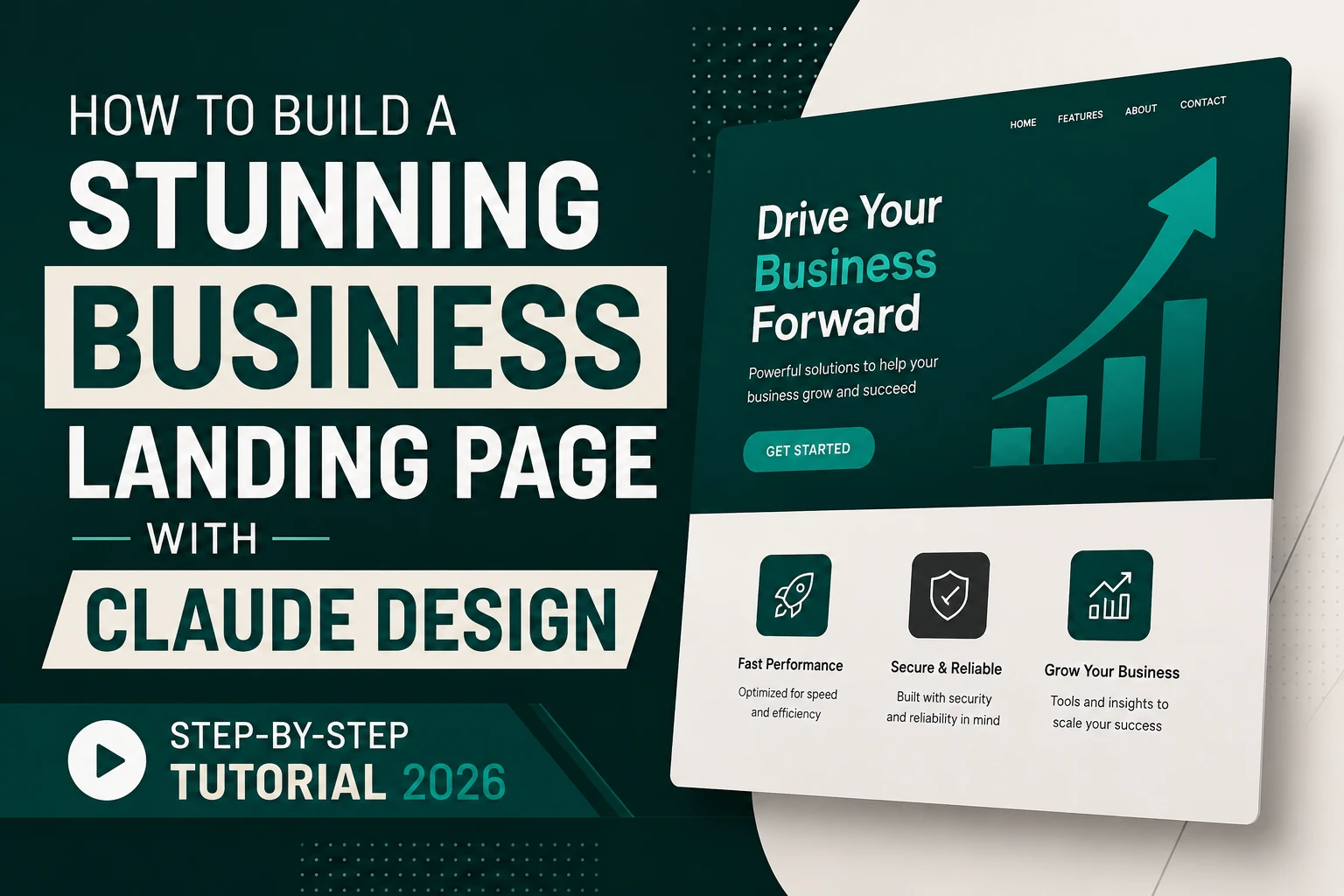
When Claude Design launched on April 17, 2026, Figma’s stock dropped seven percent the same day. That market reaction tells you exactly how seriously the design world took it.
This tutorial will show you why — by walking you through building a complete, professional business landing page from scratch, using only Claude Design and a few well-crafted prompts. No Figma. No Photoshop. No coding. No design experience needed.
By the end, you’ll have a high-fidelity landing page design ready to hand to a developer — or export directly to HTML code you can use yourself.
Let’s build something.
Claude Design launched in April 2026 as Anthropic’s direct answer to Figma and Canva. Built on Claude Opus 4, it generates high-fidelity UI from prompts and integrates with Figma files, design systems, and Claude Code for engineering handoff.
In simpler terms: you describe what you want in plain English, and Claude Design builds a professional, pixel-perfect UI — complete with typography, spacing, colour systems, components, and working code you can actually ship.
Unlike older AI tools that gave you wireframes, Claude Design produces working frontend code you can hand to engineers. Speed: You can generate 3–5 layout options in the time it takes to set up a Figma frame.
This tutorial uses Claude Design to build a landing page for a web development agency — but every step applies to any business: restaurant, clinic, coaching centre, retail shop, or startup.
💡 Don’t have Claude Pro yet? Claude Design is also accessible at claude.ai/design directly. Start a free trial if available, or use the one-week trial period strategically to complete this project.
This is the step most tutorials skip — and it’s the most important one.
A minimum of 200 words is recommended to guide the AI effectively. Begin by defining your brand details to establish a consistent foundation for all your projects.
Before generating a single screen, you’re going to tell Claude Design exactly who you are and what your brand looks like. This prevents the generic “AI design” look that makes everyone’s output look the same.
Open Claude Design and click “New Design System”
Then type this prompt — adapting it to your business:
🎯 PROMPT 1 — Design System Setup:
Create a design system for Techno Alig, a web development and
digital marketing agency based in Aligarh, India.
Brand personality: Professional, modern, trustworthy, approachable.
Not corporate-cold — warm but expert.
Primary color: Deep navy #0d1b3e
Accent color: Electric blue #3b82f6
Secondary: Pure white #ffffff
Success: Green #22c55e
Background light: #f8fafc
Typography:
– Headings: Sora (bold, geometric)
– Body: Inter (clean, readable)
– Heading scale: 48px H1, 36px H2, 24px H3, 18px H4
– Body: 16px regular, 14px small
Spacing system: 8px base unit (8, 16, 24, 32, 48, 64, 96px)
Components needed:
– Navigation bar (sticky, with CTA button)
– Hero section
– Service cards (icon + title + description)
– Stats counter row
– Testimonial cards
– Contact form section
– Footer
Border radius: 12px for cards, 8px for buttons, 999px for pills
Button style: Filled primary (navy) and outline secondary
What happens: Claude Design generates a complete UI kit — colour swatches, typography scale, component library, spacing tokens — that gets applied automatically to everything you build next.
Once your design system is set up, it is automatically applied to all new projects, making sure uniformity and saving time.
Click Save Design System before moving on.
Now comes the satisfying part. With your design system saved, Claude Design knows your brand. Every element it generates will match.
Click “New Design” → “Landing Page Section” → “Hero”
Type this prompt:
🎯 PROMPT 2 — Hero Section:
Design a hero section for a web development agency landing page.
Content:
– Navigation: Logo left, menu items (Home, Services, Portfolio,
About, Contact), CTA button “Get Free Quote” in primary blue
– Main headline: “We Build Websites That Work For Your Business”
– Subheadline: “WordPress, Shopify, SEO & Digital Marketing —
based in Aligarh, serving India and Ireland”
– Two CTA buttons: “View Our Work” (primary filled) and
“Book Free Consultation” (outline)
– Trust indicators below buttons: “50+ Projects Delivered |
98% Client Retention | 5★ Google Rated”
– Right side: Animated mockup of a beautiful website on
laptop and phone (device frame only, no specific brand)
– Background: Deep navy with subtle geometric pattern
Apply our Techno Alig design system.
Desktop layout. Make it impressive but not cluttered.
What you get: A complete hero section — nav, headline, subheadline, two CTAs, trust indicators, and a device mockup placeholder. All in your brand colours with your typography.
Refining the output:
Don’t accept the first version as final. First drafts are starting points. Iterate at least 3–4 times.
Use the Tweaks panel on the right side of Claude Design to:
Each tweak takes 10–15 seconds to render. Iterate until it looks exactly how you want.
Click “Add Section” → “Services Grid”
🎯 PROMPT 3 — Services Section:
Design a services section with 6 service cards in a 3×2 grid.
Section title: “What We Do”
Section subtitle: “Full-service digital solutions for businesses
that want to grow online”
Services:
1. Icon: 💻 | Title: “Website Development” | Description:
“Custom WordPress, Shopify, and coded websites that load
fast and convert visitors into customers.”
2. Icon: 📈 | Title: “Search Engine Optimisation” | Description:
“Data-driven SEO that gets your business to page 1 of Google
and keeps it there.”
3. Icon: 📱 | Title: “Social Media Management” | Description:
“Content creation, scheduling, and community management for
Instagram, Facebook, and LinkedIn.”
4. Icon: 🎨 | Title: “Graphic Design” | Description:
“Logo design, brand identity, and visual assets that make
your business impossible to ignore.”
5. Icon: 📣 | Title: “Digital Marketing” | Description:
“Google Ads, Meta Ads, and email campaigns that bring real
customers — not just traffic.”
6. Icon: 🛒 | Title: “Shopify Stores” | Description:
“End-to-end Shopify store development with Indian payment
gateways and seamless inventory management.”
Card style: White background, subtle border, navy icon background
circle, hover state with blue accent. Apply Techno Alig design system.
Pro tip — After generating: Click on any individual card and use the Edit tool to change the icon or tweak wording directly without regenerating the whole section.
🎯 PROMPT 4 — Stats Section:
Design a stats counter row between the services section and
testimonials.
Background: Electric blue (#3b82f6) gradient
Layout: 4 stats in a horizontal row
Stats:
– “50+” with label “Projects Delivered”
– “98%” with label “Client Retention Rate”
– “3+” with label “Years in Business”
– “2” with label “Countries Served”
Each stat: Large bold number (Sora 64px), label below (Inter 16px)
Subtle animated counter effect if possible.
Ensure sufficient contrast — white text on blue.
Apply Techno Alig design system.
🎯 PROMPT 5 — Testimonials:
Design a testimonials section with 3 client testimonial cards.
Section heading: “What Our Clients Say”
Testimonials:
1. Name: “Rahul Sharma” | Role: “Owner, RS Hardware, Aligarh” |
Stars: 5 | Quote: “Techno Alig built our website in 10 days
and we started getting enquiries from Google within a month.
Best investment we made for our business.”
2. Name: “Priya Mehta” | Role: “Director, PM Coaching Centre” |
Stars: 5 | Quote: “Our student registrations increased 40%
after they redesigned our website and started managing our
social media. Excellent team.”
3. Name: “James O’Brien” | Role: “Owner, Dublin Retail Co.” |
Stars: 5 | Quote: “We hired Techno Alig for our Shopify store
— they delivered on time, the site looks fantastic, and their
communication throughout was excellent.”
Card design: White cards with subtle shadow, client avatar
placeholder (coloured initial circle), 5 gold stars, quote in
italic, name bold, role in grey.
Background: Light grey #f8fafc.
Apply Techno Alig design system.
🎯 PROMPT 6 — Contact + Footer:
Design a contact section followed by a footer.
CONTACT SECTION:
Split layout: Left side has heading “Ready to Grow Your Business
Online?” with subtext and contact details (phone, email,
WhatsApp button). Right side has a clean contact form with
fields: Name, Email, Phone, Service (dropdown), Message,
Submit button “Send Message”.
Background: Deep navy. White text. Blue CTA button.
FOOTER:
4-column layout:
Col 1: Logo + short description “Aligarh’s trusted digital
agency since 2023″ + social icons
Col 2: Services links (Website Dev, SEO, Social Media, Design,
Digital Marketing, Shopify)
Col 3: Company links (About, Projects, Blog, Contact, Careers)
Col 4: Contact info (address Aligarh UP, phone, email,
WhatsApp link)
Bottom bar: Copyright 2026 Techno Alig | Privacy Policy | Terms
Background: Very dark navy #060d1f. Subtle dividers between columns.
Apply Techno Alig design system.
You now have a complete landing page: Hero → Services → Stats → Testimonials → Contact → Footer.
Final quality check using Claude Design’s built-in tools:
Accessibility Audit: Drop a finished design into Claude Design and ask Claude to review it for WCAG 2.1 AA contrast and accessibility violations with specific fixes.
Type in the chat: “Run an accessibility audit on the full landing page. Check WCAG 2.1 AA contrast ratios and flag any issues with specific fixes.”
Claude Design will identify contrast issues and suggest corrected colour values you can apply immediately.
Responsive Check: Click the device toggle at the top of Claude Design to switch between Desktop, Tablet, and Mobile views. Generate desktop, tablet, and mobile versions. If mobile spacing looks tight, prompt: “Adjust the mobile layout of the hero section — stack the content vertically and increase the headline size to 36px.”
This is what separates Claude Design from a design mockup tool. When you’re happy with the design:
Click “Export” → “HTML/CSS Code”
Claude Design outputs:
Or → “Export to Figma” if you’re handing off to a developer who works in Figma — the design imports with all components, styles, and auto-layout intact.
Or → “Open in Claude Code” which launches Claude Code with your design as context, allowing the AI to build a fully functional version with interactivity, form submissions, animations, and backend connections.
The same AI understands both the design and the code — fewer translation errors.
Using this exact tutorial workflow, here’s what you can realistically achieve:
| Task | Time with Traditional Tools | Time with Claude Design |
| Design system creation | 2–4 hours | 8 minutes |
| Hero section design | 3–6 hours | 12 minutes + iteration |
| Full landing page (6 sections) | 2–3 days | 45–90 minutes |
| Mobile responsive check | 1–2 hours | 5 minutes |
| Code export | 4–8 hours dev time | Instant |
The complete landing page this tutorial produces — from a blank screen to export-ready design — takes under 90 minutes. The same project in Figma alone, without the code output, typically takes a senior designer 2–3 days.
Claude Design makes a great designer faster; it makes a weak designer obvious.
The tool is not a substitute for design thinking. If you haven’t thought clearly about your user’s journey, your messaging hierarchy, or what action you want visitors to take — Claude Design will make a beautiful page that still doesn’t convert.
The prompts in this tutorial work because they include specific content, specific context about the business, and specific design direction. Vague prompts produce generic results.
Also: complex custom animations, highly interactive features, and unique micro-interactions still require human developer involvement after export.
What is Claude Design and how do I access it? Claude Design is Anthropic’s AI-powered UI design tool that generates high-fidelity website and app designs from text prompts. It launched April 17, 2026. Access it at claude.ai/design or through a Claude Pro subscription (₹1,700/month). It requires a paid plan — no free tier access currently.
Can I use Claude Design without design experience? Yes. Claude Design is built for non-designers as well as professionals. The prompts in this tutorial use plain English descriptions — no design jargon required. The key is providing specific, detailed prompts about your content, colours, and business context rather than vague requests.
Does Claude Design export working code? Yes. Claude Design exports semantic HTML and CSS, React components, and can hand off directly to Claude Code for full implementation. The exported code is production-ready and includes responsive breakpoints for mobile, tablet, and desktop.
How is Claude Design different from Canva or Figma? Canva is primarily for graphics and social media assets — not UI design. Figma is a professional design tool that requires manual design work from scratch. Claude Design generates UI designs from text prompts and exports working code — it combines what previously required a designer (Figma) and a developer (code output) into a single AI-powered workflow.
Can I use Claude Design for Indian business websites? Yes. Claude Design works for any business in any country. The tutorial in this article specifically builds a landing page for an Indian web agency in Aligarh. You can adapt the prompts to any Indian business — just replace the content with your own business details, services, and brand information.

If you’re looking for a reliable Web Developer in Aligarh, look no further than Techno Alig. Contact us today to discuss your project and take the first step towards establishing a powerful online presence.

No spam, notifications only about new offers, services.
chat_bubble_outline Leave a Reply