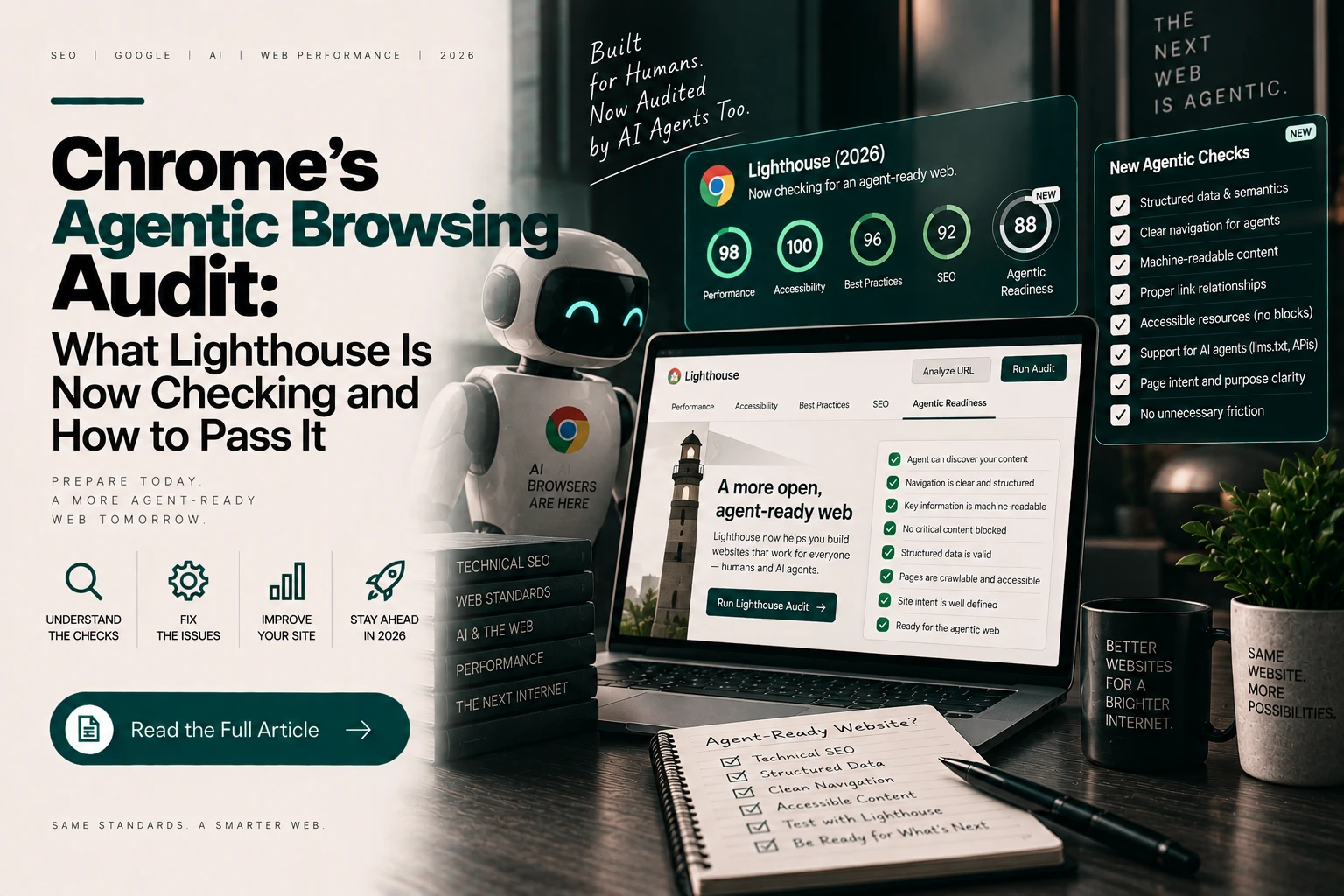
Lighthouse has been the default technical health check for websites for years — performance, accessibility, SEO, best practices. In May 2026, Chrome shipped Lighthouse 13.3 with a new category in the default config: Agentic Browsing. If you haven’t run an audit since then, your site now has a score in a category you’ve never optimised for.
What Is the Lighthouse Agentic Browsing Audit?
The Agentic Browsing category is a set of four audits in Chrome’s Lighthouse 13.3 and later that measure how well a website can be parsed and used by autonomous browsing agents. The four checks cover llms.txt handling, WebMCP integration, agent accessibility, and layout stability.
Its purpose is different from the SEO category. The SEO audits ask whether search engines can index and rank your page. The Agentic Browsing audits ask whether an AI agent could reliably read your page, understand its structure, and interact with it without getting confused or misled.
How Do You Run the Audit?
Open Chrome DevTools, select the Lighthouse panel, ensure Agentic Browsing is included in the categories, and run the report against the page you want to check. It’s part of the default config from version 13.3 onward.
Run it on your most commercially important pages rather than only the homepage — service pages, key product pages, and your contact or booking page, since those are where agents most need to extract accurate information or complete an action.
Audit 1: llms.txt Handling
Pass condition: the audit checks whether an llms.txt file is present and retrievable at your domain root. It marks the audit as Not Applicable on a 404 response, and flags a server error when the file exists but cannot be retrieved.
That distinction is worth understanding. A missing file is treated as neutral. A broken file — present but returning a server error, blocked by security rules, or misconfigured — is flagged as a genuine problem. If you’re going to add one, make sure it actually serves correctly.
How to fix it: publish a plain-text, Markdown-formatted llms.txt at your domain root containing a short description of your business and a curated index of your most important pages with one-line summaries. Then verify it loads cleanly in a browser at yourdomain.com/llms.txt.
Audit 2: WebMCP Integration
Pass condition: the audit checks whether the page registers structured tools for agents via the WebMCP browser API.
This is the most forward-looking of the four, and the one most sites will legitimately not pass in 2026. WebMCP remains a W3C Community Group Draft with Chrome support behind a flag or origin trial, so a failing result here is not a signal that something is broken — it’s a signal that you haven’t implemented an emerging standard that most sites haven’t either.
How to approach it: treat this as informational rather than urgent unless your site has genuine interactive flows — booking, availability lookup, quote requests, purchasing — where agent-completed actions would be valuable. For informational and brochure sites, this audit is safely ignorable for now.
Audit 3: Agent Accessibility
Pass condition: the audit checks whether page content and interactive elements are labelled and structured clearly enough for a non-visual agent to interpret — semantic landmarks, a single clear H1, labelled form controls, and meaningful alt text.
This is the audit most worth taking seriously, and the one with the largest overlap with work you should already be doing. The requirements are almost identical to conventional accessibility best practice, because an AI agent and a screen reader face structurally similar problems: both are trying to understand a page without seeing it.
How to fix it:
- One H1 per page, with a logical H2/H3 hierarchy beneath it that reflects actual content structure rather than visual sizing.
- Semantic landmarks — use
<main>, <nav>, <header>, <footer>, <section>, <article> rather than a page built entirely from <div> elements.
- Label every form control properly with a
<label> element or an accessible name. Placeholder text is not a label.
- Complete alt text coverage on meaningful images; empty
alt="" on genuinely decorative ones.
- Ensure important content exists in the rendered HTML, not only inside images or behind JavaScript that runs late.
- Use standard interactive elements — a real
<button> and <a> rather than a clickable <div> with a JavaScript handler.
Audit 4: Layout Stability
Pass condition: the audit checks for Cumulative Layout Shift issues — content moving around as the page loads.
Layout shift is annoying for humans and genuinely breaking for agents. If an agent identifies a button’s position, then the layout shifts as a late-loading element arrives, the agent may click the wrong thing entirely. This is the same CLS metric already in Core Web Vitals, which means fixing it pays off in three places at once: user experience, search rankings, and agent reliability.
How to fix it:
- Set explicit
width and height (or aspect-ratio) on all images and video embeds so the browser reserves space before they load.
- Reserve space for ads, embeds, and dynamic banners rather than letting them push content down on arrival.
- Preload critical fonts and use
font-display settings that avoid dramatic reflow when a web font swaps in.
- Avoid inserting content above existing content after initial render — cookie banners and promotional bars are frequent offenders.
What Score Should You Actually Aim For?
Read the per-check list rather than fixating on the composite score, which can be structurally misleading. A site can fail the WebMCP audit entirely — as most legitimately will in 2026 — while being genuinely well prepared on the checks that currently matter.
For context on where the web actually stands: one tracker measuring agent readiness across the top 100 websites by traffic found an average of 55% as of May 2026, with no A grades among them and 65% still missing an llms.txt file. The bar is low, which means meaningful improvement is unusually achievable.
Are There Other Tools Worth Using?
Several complementary checks exist. Cloudflare’s isitagentready.com scans any website against emerging agent-legibility standards. Viewing your source HTML directly, or loading a page in a text-only browser like Lynx, gives a fast intuitive sense of what an agent actually receives.
The text-browser test is the most underrated of these. If your core value proposition, pricing, and contact route are incomprehensible in plain text, that’s roughly what a parsing agent is working with.
FAQs
Does the Lighthouse Agentic Browsing score affect Google rankings? No. It’s a browser-side readiness diagnostic, not a search ranking input. However, two of its four audits — agent accessibility and layout stability — overlap heavily with factors that do affect rankings and user experience.
Should I worry about failing the WebMCP audit? Not in 2026. WebMCP is still a draft standard with partial browser support, and the majority of websites do not implement it. It matters most for sites with interactive booking or purchasing flows.
Which of the four audits should I fix first? Agent accessibility and layout stability, in that order — they have the widest benefit beyond agents, affecting human usability and search performance too. llms.txt is a quick win worth doing alongside them.
Is this audit available in PageSpeed Insights as well as DevTools? Availability varies as the category rolls out across Lighthouse surfaces. Running it directly in Chrome DevTools on Lighthouse 13.3 or later is the most reliable route.
The Agentic Browsing category is unusual among technical audits in that most of the work it asks for is work you’d benefit from anyway. Two of the four checks are effectively accessibility and Core Web Vitals wearing a different label — which makes this one of the easier new standards to justify acting on.




chat_bubble_outline Leave a Reply