Loading Article Title...
🍪 We use cookies to make sure you get the sweetest experience on our website — smooth, secure, and perfectly tailored just for you! 💫✨
Web Architect & Digital Strategist at Techno Alig. Passionate about building high-performance websites, e-commerce platforms, and data-driven SEO strategies for growing businesses.
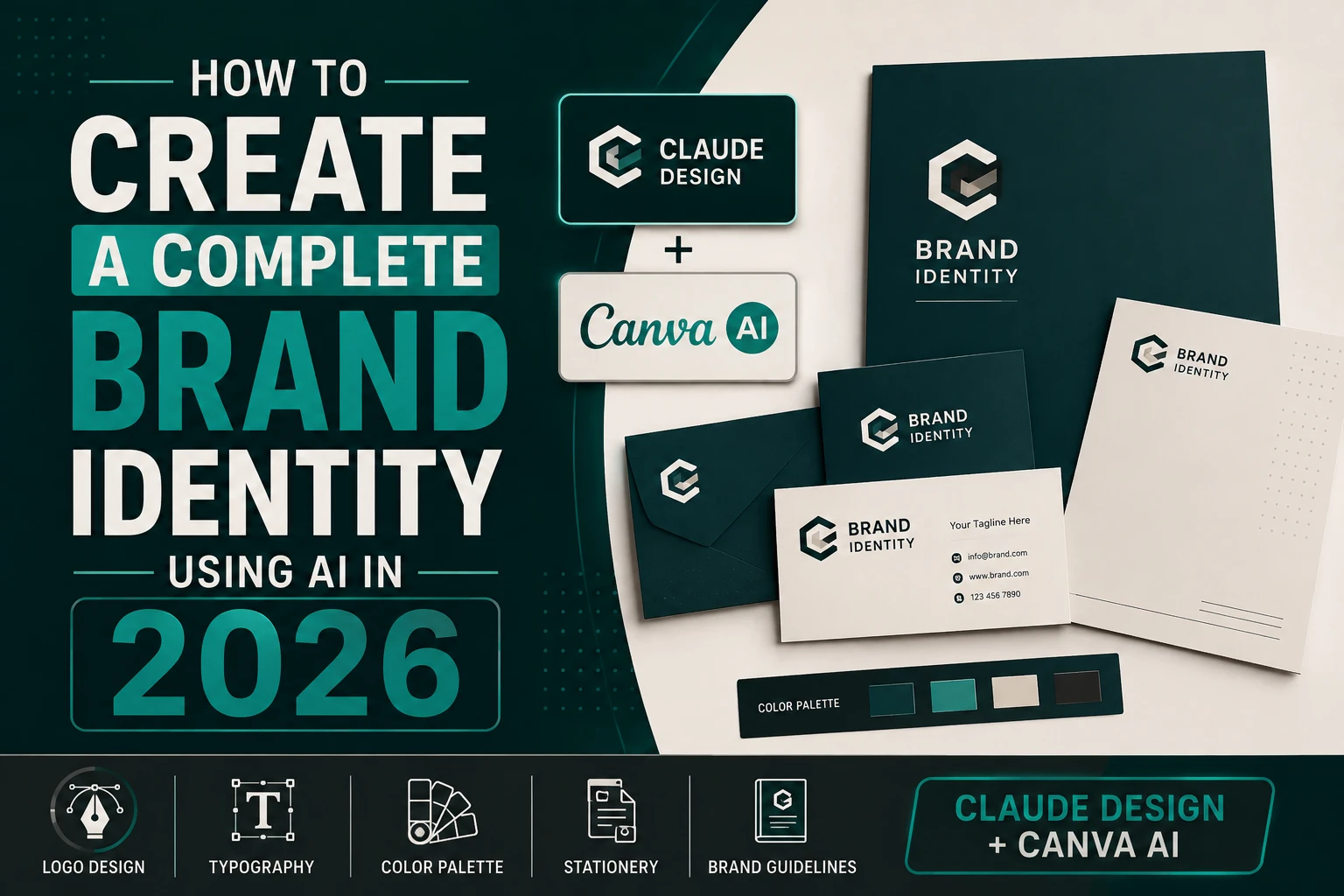
A professional brand identity from a design agency in India costs ₹15,000–₹60,000 and takes 2–4 weeks. Using the AI tools available in 2026, you can build something comparable in a single afternoon — for a fraction of the cost.
This tutorial walks through building a complete brand identity for a fictional business called NovaMark (a marketing consultancy). Every step uses real AI tools with real prompts you can adapt for your own business.
What you’ll build by the end:
Tools needed:
Most people skip this and go straight to colours. That’s why most AI-designed brands look shallow. A logo without strategy is decoration. Spend 20 minutes here — it makes everything else faster and better.
Open Claude (claude.ai) — any version works for this phase
🎯 PROMPT 1 — Brand Strategy:
I’m building a brand identity for a new marketing consultancy
in India called “NovaMark”. Help me develop a clear brand
strategy before I start any design work.
The business:
– Boutique marketing consultancy for Indian SMEs
– Services: brand strategy, content marketing, social media
management, digital advertising
– Target clients: Indian businesses doing ₹50L–₹5Cr revenue
who want to grow
– Competitors: Generic digital agencies, large consulting firms
– Our difference: We’re specialists, not generalists.
Boutique attention, enterprise thinking.
Give me:
1. Brand positioning statement (1 sentence)
2. Brand personality (5 adjectives, explained)
3. Brand voice (how we speak — formal/casual? confident/humble?)
4. What emotions should our brand evoke in a client?
5. What our brand should NEVER feel like (anti-personality)
6. 3 brand positioning options with different strategic angles
7. Recommended colour psychology direction (not specific colours
yet — just the emotional territory)
Think deeply. This is the foundation everything builds on.
What Claude produces: A complete brand strategy document. Read it carefully. Pick the positioning that resonates most, or ask Claude to blend elements from multiple options.
Note which option you chose — you’ll reference it in every subsequent prompt. For this tutorial, let’s say we chose: “Boutique expertise with enterprise ambition — the consultancy that thinks big but knows your name.”
🎯 PROMPT 2 — Visual Identity System:
Based on the brand strategy for NovaMark (boutique marketing
consultancy, positioning: “enterprise thinking, boutique
attention”), define the complete visual identity system.
Give me:
1. PRIMARY COLOR PALETTE (4 colours):
For each colour: hex code, name, where to use it,
psychological reasoning
2. TYPOGRAPHY:
– Heading font (Google Fonts) + reasoning
– Body font (Google Fonts) + reasoning
– Accent/pull quote font + reasoning
– Scale: H1, H2, H3, Body, Small, Caption sizes
3. LOGO DIRECTION (not the logo itself yet):
– Describe 3 different logo concept directions
(wordmark, lettermark, symbol+wordmark, etc.)
– Which you recommend and why
– What the logo should communicate in 3 seconds
4. VISUAL STYLE:
– Photography style (if using photos)
– Illustration style (if using)
– Icon style (line, filled, rounded?)
– Pattern/texture direction
5. DESIGN PRINCIPLES (3 rules every designer must follow):
Example: “Never use more than 3 colours in any single asset”
Format this as a proper brand guidelines extract
I can share with collaborators.
Output: A structured visual identity specification. Save this document — you’ll refer to it constantly. For NovaMark, Claude might specify: Deep midnight navy (#0F1F3D) + Gold accent (#C9A84C) + Warm white (#FAF8F4) + Success green (#2D9E6B), with Playfair Display for headings and Inter for body.
This is where most people think AI can’t help — but Claude is surprisingly capable at creating clean SVG logos from a detailed description.
🎯 PROMPT 3 — SVG Logo:
Create an SVG logo for NovaMark based on our brand strategy:
– Boutique marketing consultancy
– Colors: #0F1F3D (primary) and #C9A84C (gold accent)
– Positioning: Enterprise thinking, boutique attention
Logo concept: A lettermark “NM” with an abstract
constellation/network symbol — representing connection
and strategic thinking. Modern, confident, not trendy.
Requirements:
– SVG format, 400×120px viewBox
– Wordmark version: Symbol left + “NovaMark” text right
– Font for wordmark: Simulate Playfair Display with
sophisticated serif letterforms
– Symbol: Abstract NM monogram where the two letters
subtly form a connected network of 3-4 nodes
– Gold accent on just one element (a single connector line
or node in the symbol)
– Must look professional at both 400px wide and 40px wide
Build the complete SVG code. Then describe what the
logo communicates visually and how to use it.
Important: Claude’s SVG logos are concept-quality — excellent for ideation, presentation, and client approval. For final production files, take Claude’s SVG to a designer for refinement, or use it as the direction brief for a professional.
How to view the logo: Copy the SVG code Claude gives you → paste into a new .svg file → open in any browser. Or paste into svgviewer.dev to see it instantly.
Iterate with Claude:
Now we move into Claude Design for layout-based deliverables.
Open Claude Design → New Document → Brand Guidelines
🎯 PROMPT 4 — Brand Guidelines:
Create a professional brand guidelines document for NovaMark.
Brand details:
– Name: NovaMark
– Tagline: “Think Bigger. Brand Better.”
– Colors: #0F1F3D (Midnight Navy), #C9A84C (Strategic Gold),
#FAF8F4 (Warm White), #2D9E6B (Growth Green)
– Fonts: Playfair Display (headings), Inter (body)
– Logo: Navy wordmark with NM monogram symbol + gold accent node
Document sections (each as a full page):
1. Cover page — brand name, tagline, “Brand Guidelines 2026”
2. Our Brand — positioning statement, personality, voice
3. Logo usage — logo on white, logo on dark,
logo on photo, clear space rules, NEVER do this (4 examples)
4. Color palette — swatches, hex codes, CMYK, usage rules
5. Typography — type hierarchy shown with example text
6. Photography & Visual Style — direction, do’s and don’ts
7. Social Media Examples — Instagram post, LinkedIn post shown
8. Business Card — front and back
Design style: Sophisticated, editorial. Navy and gold.
Generous white space. This document itself should feel
like our brand — impressive to open, clear to follow.
16:9 ratio pages, presentation format.
Claude Design handles layout-heavy work. For social media content templates that need to be edited regularly by non-designers, Canva is the better tool — teams can edit content without touching the design.
Open Canva → Create New Design → Instagram Post (1080×1080)
🎯 PROMPT 5 — Canva AI Design:
(Type this into Canva’s AI design generator)
Create a professional Instagram post template for
NovaMark — a marketing consultancy.
Style: Sophisticated, minimal. Midnight navy (#0F1F3D)
background. Gold (#C9A84C) accent on one element.
White text. Playfair Display heading font.
Template purpose: “Marketing tip” posts — where we
share one insight in big, bold text.
Layout:
– Top: Small “NovaMark” logo in white (top-left corner)
– Center: Large bold quote/tip text (takes up 60% of canvas)
– Bottom: Subtle gold horizontal line, website URL right-aligned
– Optional background: Very subtle geometric texture in
dark navy (barely visible)
Make it feel premium. Not busy. One thing to look at.
After Canva generates the template:
🎯 PROMPT 6 — Business Card:
(Canva AI — Standard Business Card 3.5″×2″)
Design a premium business card for NovaMark.
FRONT:
– Background: Midnight navy (#0F1F3D)
– NovaMark logo (gold + white) centered or top-left
– Tagline: “Think Bigger. Brand Better.” in gold, small
– Bottom: subtle gold horizontal rule
BACK:
– Background: Warm white (#FAF8F4)
– Name: [Name] in Playfair Display, navy
– Title: Marketing Consultant
– Email, Phone, Website in Inter, navy — small, left-aligned
– Small NM monogram in gold, bottom right corner
Feel: Like picking up a card from a luxury brand.
Weighty, memorable, says “we take quality seriously.”
For the email signature, we use Fable 5 because it requires HTML code output that works perfectly across email clients — a surprisingly tricky technical requirement.
Open Claude Fable 5
🎯 PROMPT 7 — Email Signature:
Build a professional HTML email signature for NovaMark.
Requirements:
– Must render perfectly in Gmail, Outlook, Apple Mail
(table-based HTML, inline CSS only — no external styles)
– Width: max 600px
– Design: Clean, minimal. Navy left border accent line,
then name + title right of it. Below: contact details
in a row. Bottom: social icons (LinkedIn, Instagram,
Website) as text links (NOT images — images break in email)
– Colors: #0F1F3D navy, #C9A84C gold, grey body text
– Brand name in Playfair Display (web-safe fallback: Georgia)
– Everything else in Arial (safest email font)
Content:
Name: [First Last]
Title: Marketing Consultant | NovaMark
Email: name@novamark.in
Phone: +91 98XXXXXXXX
Website: www.novamark.in
After building, explain how to add this to Gmail,
Outlook, and Apple Mail.
After this tutorial, you have:
| Deliverable | Tool Used | Time |
| Brand strategy + positioning | Claude | 20 min |
| Visual identity specification | Claude | 15 min |
| SVG logo concept | Claude | 20 min |
| Brand guidelines document | Claude Design | 20 min |
| Instagram post templates (3) | Canva AI | 20 min |
| Business card (front + back) | Canva AI | 15 min |
| HTML email signature | Claude Fable 5 | 10 min |
| Total | ~2 hours |
This is a client-presentable brand identity package. Not a final production-ready brand (that still benefits from a professional designer’s refinement) but a fully usable, internally consistent identity that takes a new business from “no brand” to “looks professional” in a single afternoon.
This AI workflow produces excellent results for:
You should still hire a professional graphic designer when:
At Techno Alig, our design team works alongside AI tools — using Claude Design and Canva AI to accelerate our workflow, while applying human creative judgement to elevate the output beyond what AI produces alone. The result: faster delivery, lower cost, higher quality than either approach alone.
Get a professional brand identity from Techno Alig →
Can AI create a professional logo in 2026? Yes — AI tools including Claude and Claude Design can generate professional-quality SVG logos from detailed prompts. The output is strong for ideation, client presentations, and early-stage branding. For final production files at all scales and formats, professional refinement by a human designer adds significant value.
What is the best AI tool for brand identity design in 2026? For layout-heavy brand documents and UI: Claude Design. For logo SVG generation and brand strategy: Claude (free or Pro). For social media templates and business cards: Canva AI. Using all three together produces the most comprehensive brand identity package.
How long does it take to build a brand identity with AI? Using the workflow in this tutorial, a complete brand identity — including strategy, logo concept, brand guidelines, social templates, business card, and email signature — takes approximately 2 hours. This compares to 2–4 weeks for a traditional design agency process.
Is Claude Design better than Canva for brand design? They serve different purposes. Claude Design excels at layout-based documents, multi-page brand guidelines, and UI design that outputs production code. Canva excels at editable templates for social media content that non-designers can update easily. The best workflow uses both together, as shown in this tutorial.
Can I use this AI brand identity professionally? Yes. The files produced by this workflow — SVG logos, brand guidelines PDFs, social templates, email signatures — are all usable in professional business contexts. The AI-generated brand identity is your starting point; refine it based on real customer feedback and usage over time.

If you’re looking for a reliable Web Developer in Aligarh, look no further than Techno Alig. Contact us today to discuss your project and take the first step towards establishing a powerful online presence.

No spam, notifications only about new offers, services.
chat_bubble_outline Leave a Reply